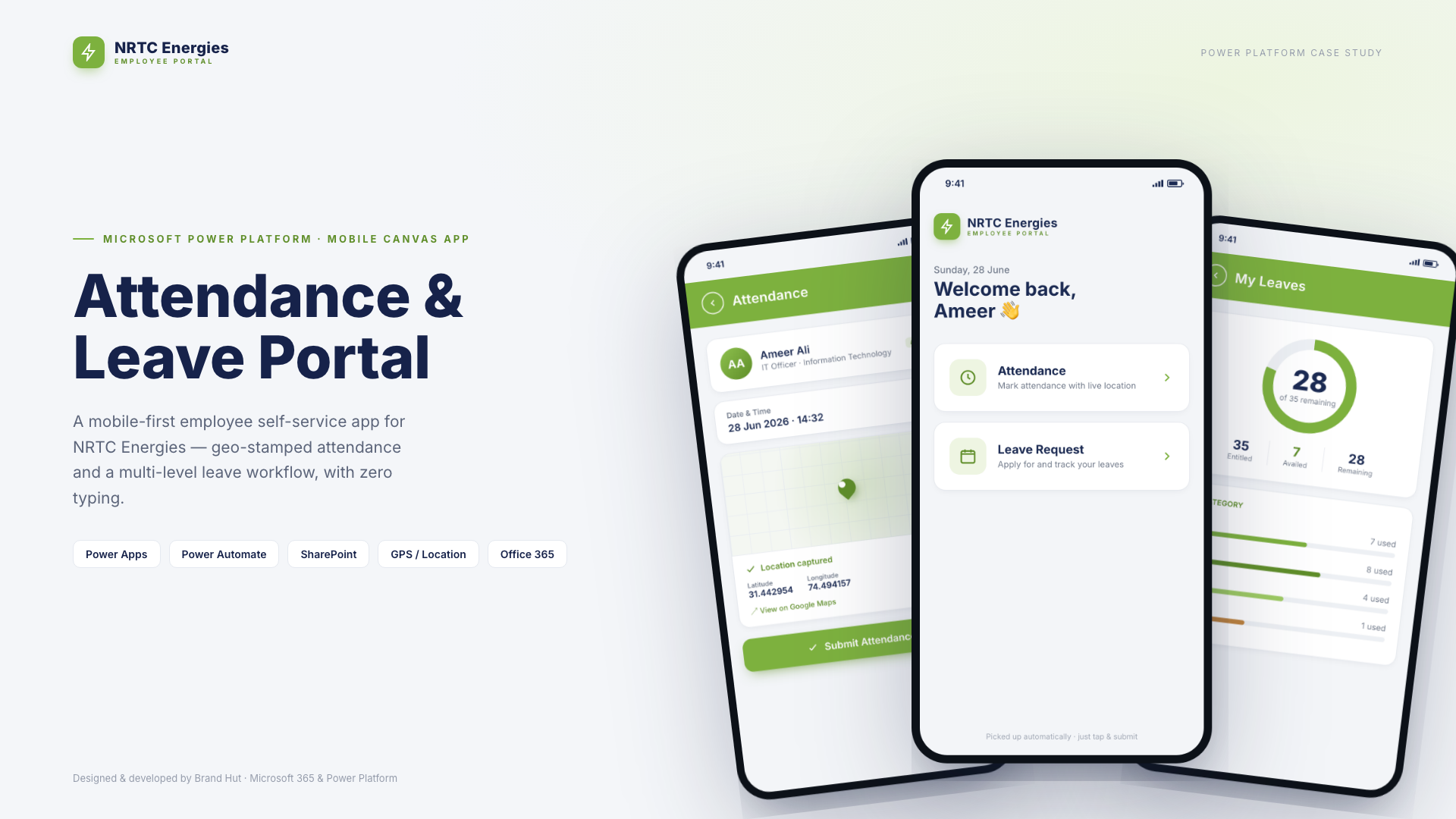
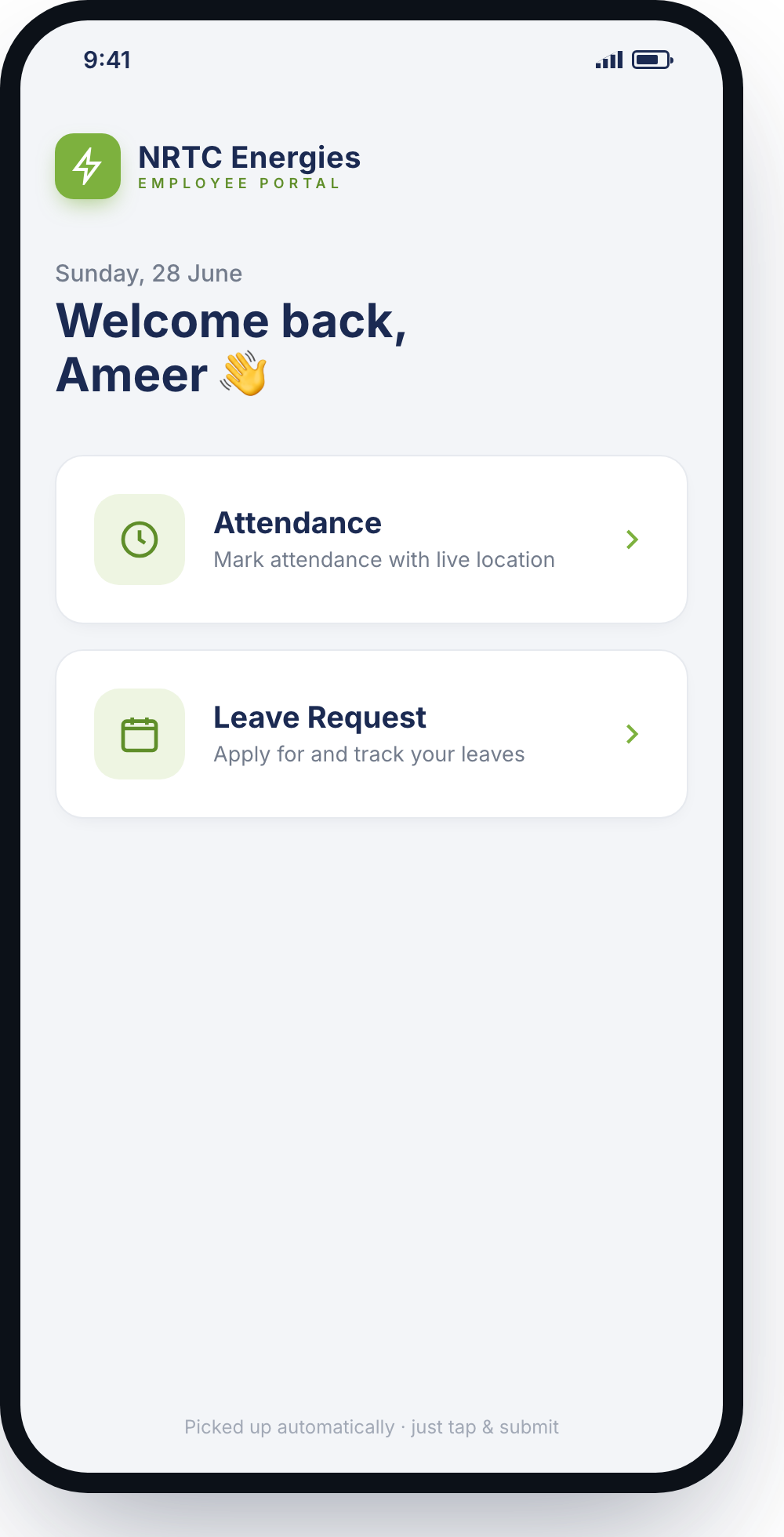
A mobile-first employee self-service app with two everyday jobs — marking attendance and managing leave — done in a few taps. The app already knows who you are: identity, email, time and GPS location are all captured automatically.
NRTC Energies has staff across offices and remote sites. Field and site teams can't punch a wall clock, and leave was handled informally. They needed two things on every employee's phone: reliable, verifiable attendance — including from remote locations — and a leave process that routed for approval and kept a clean record.
A Power Apps canvas app delivered through the Power Apps mobile app. Attendance auto-captures the employee, title, time and GPS location — one tap to submit. Leave is a few taps to apply, then routes through a multi-level approval in Power Automate and lands in SharePoint, with a live balance view. Identity, email, date/time and location are all pre-filled.
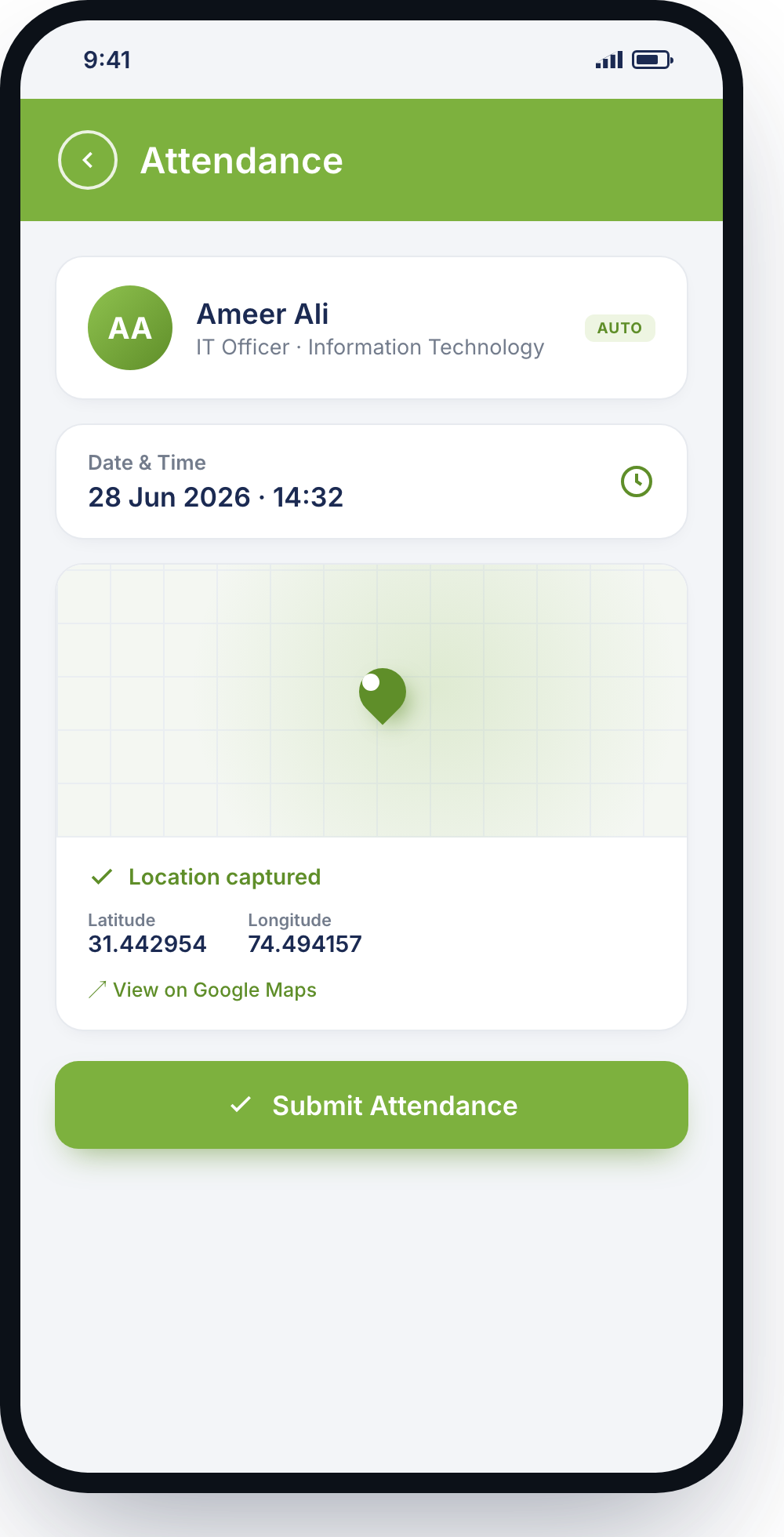
The attendance form is read-only by design. Name and designation come from Microsoft 365 (User() + the Office 365 Users connector); the timestamp from Now(); and latitude, longitude and a Google Maps link from the device's Location signal — all stamped at the moment of submission. If GPS is off, the app blocks the submit button and prompts to enable it: no location, no attendance. One Patch() writes the record to a SharePoint list. The result is a tamper-resistant, time- and location-verified proof of presence — captured in a single tap, from anywhere.
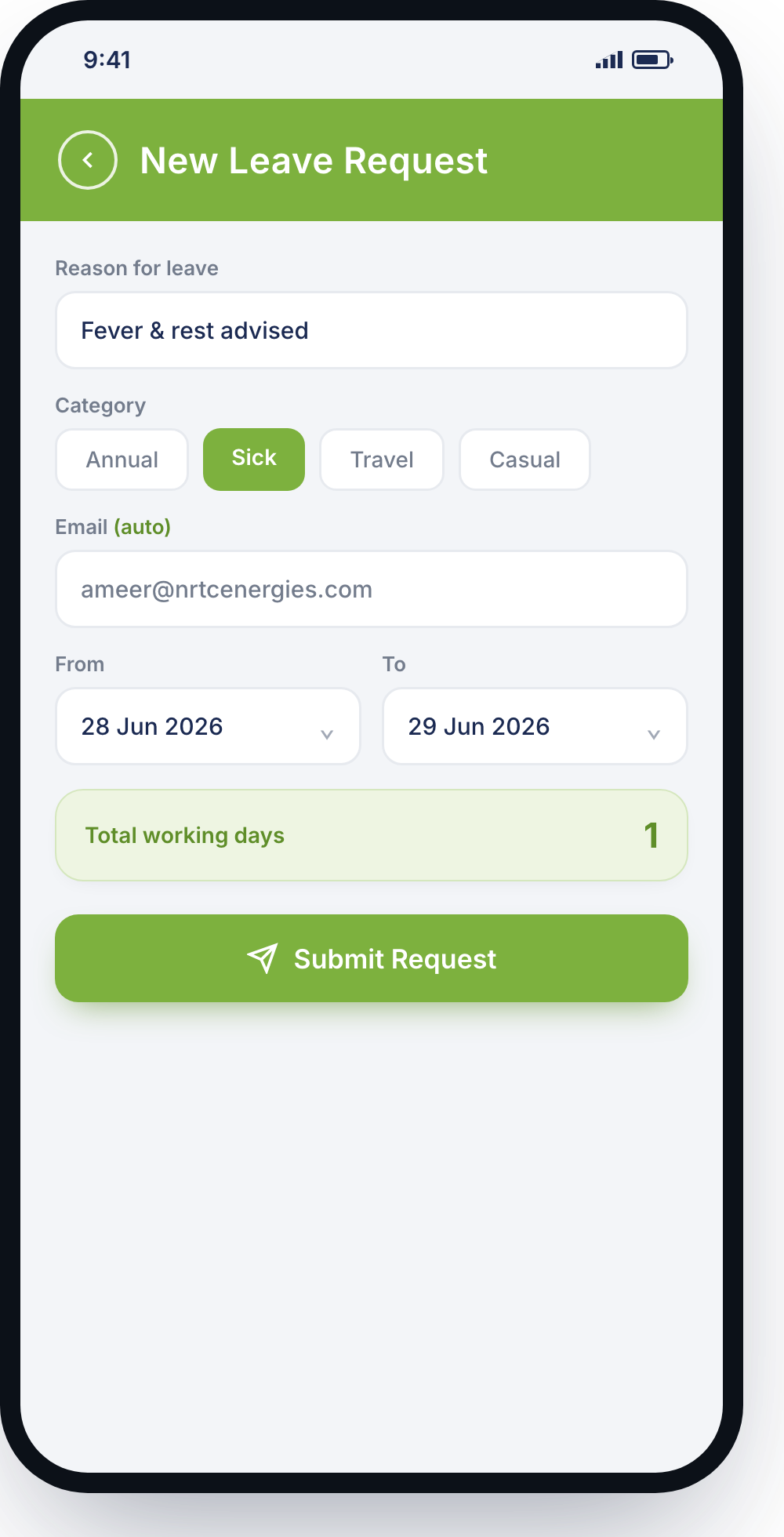
The employee picks a reason and category (Annual / Sick / Travel / Casual), the dates, and the working days are counted automatically; their email is pre-filled. Submitting triggers a Power Automate flow that records the request in SharePoint and routes it through each approver in turn — Manager → HR / Admin — updating the status and notifying the employee at every step. Any approver can decline with a comment.
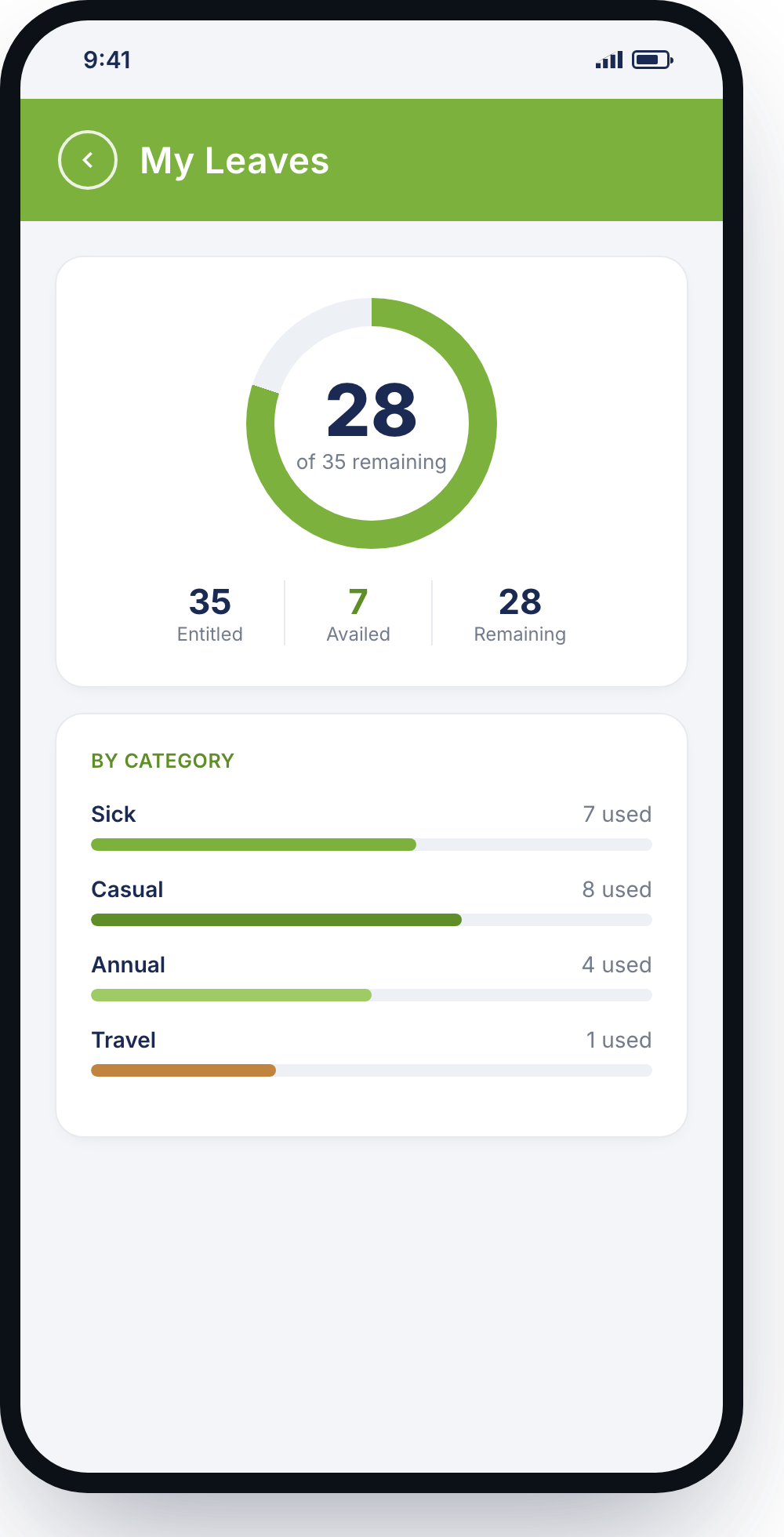
Each employee carries an annual entitlement in SharePoint. The app sums approved leaves and subtracts them — Entitled − Availed = Remaining — live, and split per category (Sick, Casual, Annual, Travel), so limits per type are enforced and visible.
Designed at phone form-factor and delivered through the Power Apps mobile app, so on-site and remote staff use it from their own devices — no new logins, no new licences. Everything sits on the customer's existing SharePoint and Office 365.
A mobile-first portal that verifies who's working and where, automates leave approvals into SharePoint, and keeps everyone notified — geo-verified attendance for remote teams, automated multi-level approvals, and zero-typing identity and context, all on the customer's existing Microsoft 365.
We build mobile-first Power Apps that capture the hard parts automatically — location, identity, approvals — on the Microsoft 365 you already have.
Start a project →